
Adobe Express: AI Photo, Video
AdobeArt & Design
4.611.14K Reviews
- Version
- 32.0.3
- Installs
- 100.00M
- Age Rating
- Everyone
Screenshots
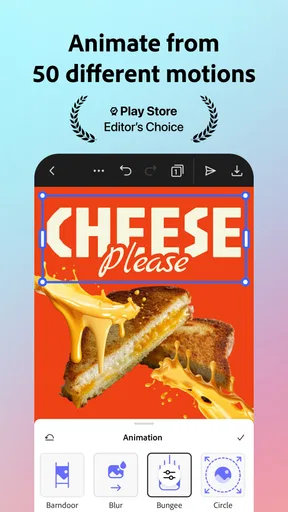
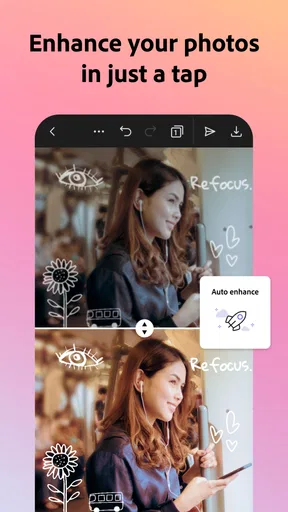
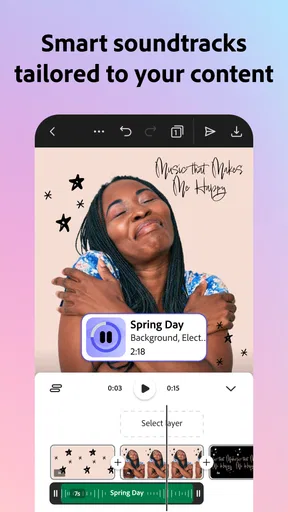
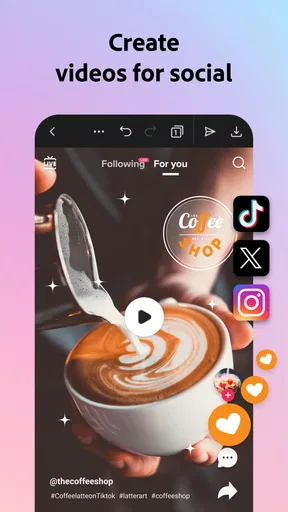
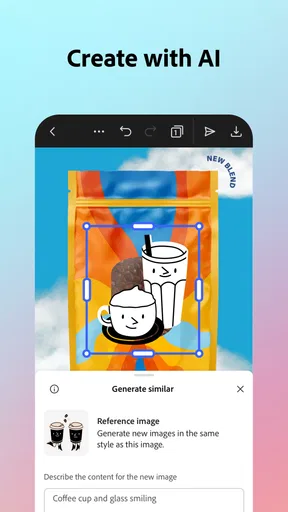
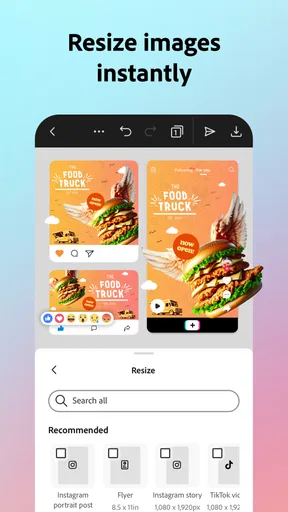
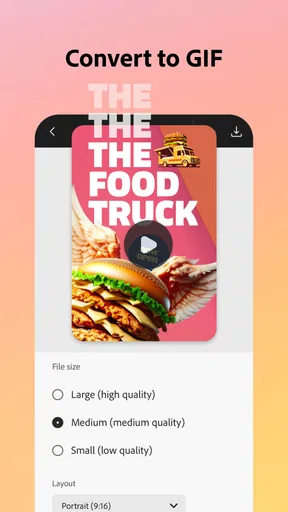
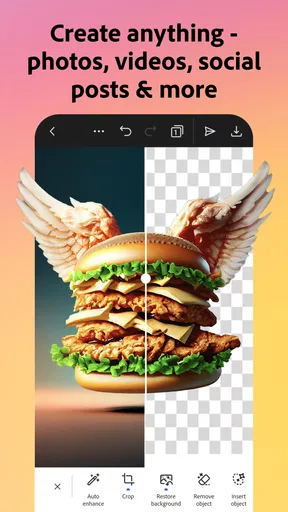
Our Review of Adobe Express: AI Photo, Video
 Analysis by Appyee
Jumping into the world of content creation can be both exciting and daunting. But when I stumbled upon Adobe Express: AI Photo, Video, it felt like having a creative buddy right in my pocket. This app promises to make designing and editing as easy as pie, and honestly, it delivers on that promise.
What makes a pocket-sized editor useful to me is not simply how many tools it offers, but whether I can find the right one without a long lesson first. Adobe Express is an art and design app from Adobe that brings photo and video work together with graphic creation. I find that combination especially handy when one small project involves several formats: a picture for a post, a title card, and a short clip can all belong to the same visual idea.
The app is free to install, and it has a 4.6 average from around 665,000 ratings, with more than 100 million installs. It is rated for everyone, so it is approachable for a broad audience, though younger users may still need an adult’s help making sense of creative choices and any paid options. The current version is 29.5.0, and in-app purchases range from $9.99 to $99.99 per item. I would treat the free starting point as a way to explore, then check the cost shown in the app before building a workflow around a paid feature.
First Impressions
Upon launching the app, I was greeted by a sleek and intuitive interface. It's like Adobe took the best of its creative tools and wrapped them up in a user-friendly package. The app effortlessly integrates AI technology to help even the most novice user create stunning visuals. Whether it's editing a photo or crafting a video, Adobe Express: AI Photo, Video guides you every step of the way.
For readability and navigation, that guided feeling matters more than a crowded menu of technical controls. I can approach a project by choosing a starting point and then make decisions as they come up, rather than needing to understand a professional editing vocabulary before I begin. That lowers the barrier for someone making a first event graphic or a quick social post. It does not mean every task is equally obvious, though: when I want a very particular result, I still need to inspect the available controls and make several small choices.
Diving Into Features
The app comes loaded with features that make it a powerhouse for mobile editing. The AI-driven tools are smart and intuitive. You know those times when you wish someone could just read your mind and do the work for you? Well, it's almost like this app can. The AI can suggest edits, enhance images, and even help with video transitions without breaking a sweat.
I find AI most useful as a first pass, not as a final judge. It can get me past the blank-page moment or suggest a direction, but I still need to check whether the result suits the subject and message. For example, a quick promotional image may benefit from a fresh visual treatment, while a family photo or a community notice may need a lighter touch so that the people and information remain the focus. This habit of reviewing before sharing is also a practical way to catch awkward crops, misplaced emphasis, or an edit that changes the mood too much.
One of my favorite features is the templates. If you’re like me and sometimes hit a creative block, these templates are a lifesaver. They offer a plethora of options to kickstart your design process. I found myself experimenting with layouts and styles that I wouldn’t have thought of on my own.
Templates are especially valuable when I need a result quickly but still want to make it feel considered. A useful trick is to choose a layout for its structure rather than its finished look: keep the spacing and hierarchy that work, then replace the wording and imagery and adjust the colors to fit the occasion. That helps me avoid the “template look” without spending ages building a composition from scratch. For recurring posts, starting from a consistent design can also make a small project feel like part of a series.
Editing Made Easy
Now, if you’re wondering about the editing tools, let me tell you, they’re top-notch. The photo editor comes with all the bells and whistles—filters, adjustments, and even advanced options like layers. The video editor isn’t far behind, providing a seamless editing experience that’s perfect for social media or personal projects.
Working on a phone has a clear trade-off: I can make useful changes while away from a desk, but a small screen is not ideal for every precise adjustment. I would use it for a quick clip, a straightforward photo treatment, or a graphic that needs to be ready for a message or social feed. For intricate compositing, detailed typography, or a longer edit where timing and fine control matter, a desktop editor is usually more comfortable. That distinction is worth knowing before choosing a mobile app as the only tool for a demanding project.
And let’s not forget the magic of AI. The automatic background removal tool is a game changer. It’s like having Photoshop-level capabilities without the learning curve. Just a few taps, and voila, your photo gets a professional touch.
Background removal is most convincing when the subject is easy to separate from its surroundings. I would check edges around hair, fine objects, and areas that blend into a similar background before using the image in a polished design. If the cutout looks rough, changing the crop or choosing a clearer source photo can be quicker than repeatedly trying to rescue it. I also treat a clean cutout as one ingredient, not a finished composition: scale, placement, and a suitable background still determine whether the result feels natural.
Making It Work in Everyday Life
A realistic use for me would be preparing a last-minute notice for a school event or neighborhood gathering. I could start with a template, replace its sample text with the time and location, add a photo, and make a second version sized for a short video or another social post. The important final step is to zoom in and proofread every detail: a polished design cannot compensate for a missing date or hard-to-read address. For something people need to act on, I would keep the wording concise and make the key information visually prominent.
This is also where the app can support different situations without requiring the same level of design experience from everyone. A beginner can lean on a template and guided tools; someone more confident can spend longer adjusting the visual treatment. If I am working in a noisy place or only have a brief moment, I can focus on a small, self-contained edit rather than trying to finish a complex project on the go. The practical benefit is flexibility, not a guarantee that every task will be comfortable in every setting.
Who Will Get the Most From It
I would recommend Adobe Express to people who regularly need attractive, quick-turnaround visuals but do not want to learn a full professional design suite first. It suits creators making social content, small organizations preparing event materials, and anyone who wants to dress up personal photos or short videos. Its mix of templates, image tools, and video editing is more convenient for these mixed everyday jobs than switching between several narrowly focused apps.
On the other hand, a person who mainly wants detailed photo retouching may prefer a dedicated photo editor, while someone producing a long or carefully timed video may be happier in a video-first editor with a more focused timeline. A desktop design program is also a better fit when accuracy, extensive layer control, or a large working canvas is central to the task. Express is strongest as an accessible all-rounder; it is not automatically the best specialist tool for every creative job.
Where the Experience Can Feel Less Smooth
For motor comfort, a phone’s touch controls can be less forgiving than a mouse or stylus, especially when selecting a small object or adjusting an element precisely. I try to make one change at a time, pause to inspect it, and undo rather than stacking uncertain edits. That approach is slower than an expert desktop workflow, but it reduces the chance of losing track of what changed. If repeated tapping or dragging is difficult, a template-led task with fewer fine adjustments may be a more comfortable way to use the app.
Visual and sensory comfort also depends on the particular project and environment. A busy template, a crowded image, or a video with several competing elements can make the main message hard to follow. I get clearer results by reducing decorative details, using short text, and checking that the most important information stands out. If I am editing in bright light, in a hurry, or while distracted, I avoid making subtle color decisions that I cannot judge reliably in the moment and return to them later.
Some friction comes from the breadth of the toolset itself. Having photo, video, and design work in one place saves switching, but it can also make the experience feel less focused than an app dedicated to one medium. AI suggestions can speed up a first draft, yet they do not replace proofreading or a careful visual check. Paid items are another consideration: because purchases are available, I would confirm the price in the app before relying on a particular paid option for a project or recommending a workflow to someone else.
Final Thoughts
Overall, Adobe Express: AI Photo, Video is a must-have for anyone looking to up their content game. It’s a blend of simplicity and power, with a touch of Adobe’s creative magic. Whether you’re a social media enthusiast, a budding designer, or just someone who loves to play around with photos and videos, this app is a fantastic addition to your toolkit.
If you haven’t tried it yet, I’d say give it a whirl. It’s surprising how much you can create with just a few taps on your smartphone. Happy creating!
My inclusive verdict is positive, with a useful qualification: the app makes common creative tasks feel approachable, but ease of use depends on the person, the screen, and the project. I would start with a simple template-based design, see how comfortable the editing feels, and only then decide whether it suits a more involved workflow. If your priority is quick, varied content on a phone, it is an inviting place to begin; if you need highly precise control or a narrowly specialized editor, choosing a dedicated alternative is the more sensible call.
Privacy and Permissions
See what permissions an app requests and how it handles your data.
- Phone
- read phone status and identity
- Photos/Media/Files
- read the contents of your USB storage, modify or delete the contents of your USB storage
- Storage
- read the contents of your USB storage, modify or delete the contents of your USB storage
- Camera
- take pictures and videos
- Microphone
- record audio
- Wi-Fi connection information
- view Wi-Fi connections
- Device ID & call information
- read phone status and identity
- Other
- view network connections, full network access, change your audio settings, run at startup, prevent device from sleeping
Verdict
Strengths of Adobe Express: AI Photo, Video
- User-friendly interface for quick edits.
- Diverse templates for various projects.
- AI tools enhance media quality.
- Cross-platform compatibility.
- Regular updates with new features.
Limitations of Adobe Express: AI Photo, Video
- Limited features in free version.
- Requires internet for full functionality.
- Occasional lag on older devices.
- Subscription can be pricey.
- Some advanced features have a learning curve.
Other Releases by Adobe
View All
Adobe Acrobat Reader: Edit PDF
Productivity4.5

Photoshop Express Photo Editor
Photography4.6

Adobe Scan AI PDF Scanner, OCR
Business4.6

Lightroom Photo & Video Editor
Photography4.5
Similar Picks in This Category
View All
Canva: AI Photo & Video Editor
Canva4.8

PENUP – Drawing-sharing SNS
Samsung Electronics Co., Ltd.4.5

Crafto
Kutumb App4.6

Sketchbook
Sketchbook4.1

ibis Paint X
ibis inc.4.5

PaperColor
Eyewind4.5
You May Also Like
View All


Frequently Asked Questions
What is Adobe Express: AI Photo, Video, and who is it for?
Adobe Express: AI Photo, Video is a versatile app designed for users looking to enhance their photos and videos with AI-powered tools. It's ideal for both beginners and professionals who want to create high-quality content easily and efficiently. Whether you're editing for social media or personal projects, this app offers a range of features to suit your needs.
What features does Adobe Express: AI Photo, Video offer?
Adobe Express provides a variety of features, including AI-driven photo enhancements, video editing tools, and customizable templates. Users can apply filters, adjust lighting, and add text or graphics effortlessly. The app also offers a library of stock photos and music, making it a comprehensive tool for creative projects.
Is Adobe Express: AI Photo, Video free to use?
Adobe Express offers a free version with basic features, but there are also premium options available through in-app purchases or subscriptions. The premium version provides access to additional templates, advanced editing tools, and a broader selection of stock content, which can enhance your creative capabilities.
How does Adobe Express ensure user privacy and data security?
Adobe prioritizes user privacy and data security by implementing robust encryption and adhering to strict privacy policies. The app requires user consent for data collection and offers settings to manage privacy preferences. Adobe's commitment to security ensures that your personal information and content are protected.
Can Adobe Express: AI Photo, Video be used offline?
Adobe Express requires an internet connection for some features like accessing stock content and cloud storage. However, many editing tools can be used offline once the app and necessary resources are downloaded. This flexibility allows users to work on projects without constant internet access.
